


VideoAI: AI Video Generator
4.3140.00 Reviews
App Specs
- Version
- 2.6
- Updated On
- License
- Free
- Downloads
- 100,000+
- Developer
- Koi Apps
- Categories
- Art & Design
- Platform
- Android
Screenshots
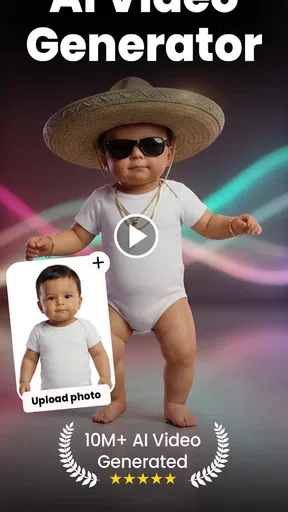
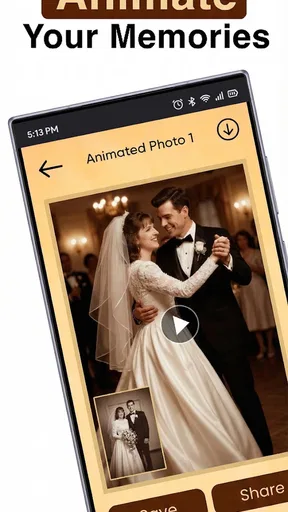
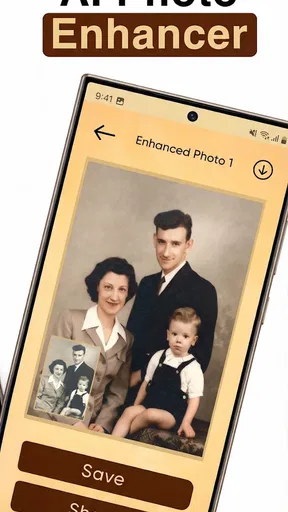
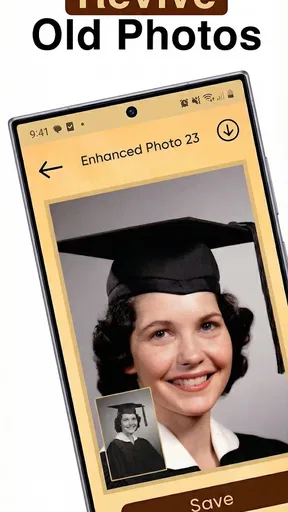
 Analysis by AppCompare
I approached VideoAI: AI Video Generator as a first-time user would: with one photo in mind and a simple goal of turning it into a short, shareable video. The app is made by Koi Apps and sits in the art and design category. Its promise is easy to understand, but the useful question is what you can actually do with it and whether its style suits the way you like to create.
Getting Started with Ease
First things first, let's talk about the setup. Downloading VideoAI: AI Video Generator is a breeze, available on both Android and iOS. Once you’ve got it installed, the app welcomes you with a clean, intuitive interface that doesn’t require a PhD in tech to navigate. Trust me, even if you’re a newbie, you’ll feel like a pro in minutes. The app gently guides you through the basics with helpful tips and tricks, making sure you’re not left scratching your head.
What to Expect from a Photo-to-Video App
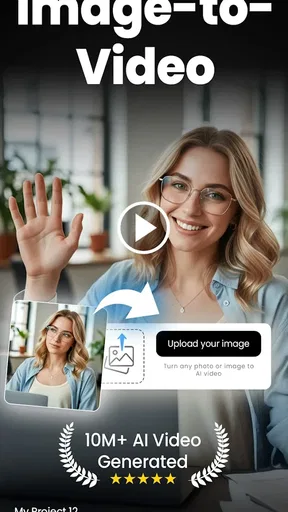
The clearest reason to try this app is to give a still image a sense of movement. That can make an old family photo feel more engaging in a message to relatives, or give a portrait a fresh role in a personal post. I’d treat the result as a creative interpretation rather than a faithful record of what happened: animation can add visual motion, but it cannot recover details that were never captured in the original picture.
That distinction matters when choosing a source image. A sharp, well-lit photo with a clear subject gives an AI animation a better starting point than a tiny, blurry scan or a picture with several overlapping faces. For an old print, I’d first use a separate scanning or restoration tool if the image needs basic cleanup. Then I’d bring the cleaner version into VideoAI, instead of expecting one step to fix damage and create convincing motion at once.
Features That Wow
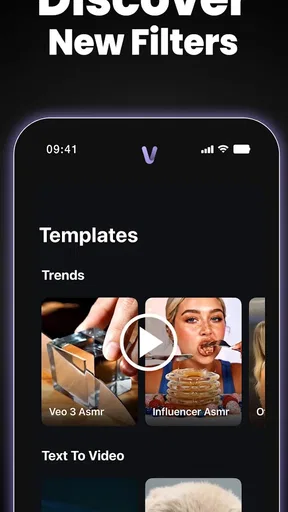
Now, onto the good stuff—the features! This app is packed with AI-driven tools that make video creation not only easy but also fun. You can choose from a variety of templates, effects, and transitions that suit any mood or theme. Whether you’re creating a birthday montage or a professional presentation, there’s something for everyone.
The real magic happens when you dive into the AI capabilities. Imagine being able to generate clips using AI-driven scene detection and auto-editing. It’s like having a personal editor who knows precisely what you want. The app can even suggest music tracks that perfectly match the vibe of your video. It’s all about making you look good with minimal effort.
Your First Useful Result
For a reassuring first attempt, I’d choose one photo with a single, easy-to-read subject rather than starting with a whole album. Pick a template or visual treatment that fits the mood, preview the result, and decide whether the movement feels natural enough to share. Keeping that first project small makes it easier to judge the app’s central appeal without getting distracted by lots of edits.
Worth Reading Before You Choose

EA SPORTS FC Mobile 26 Is a Bigger Football Game, but It Takes Time

Flipboard Shows What News Apps Must Do Beyond the Feed

Switching to Android Auto Means Rethinking Your Driving Routine

Google Calendar Makes a Crowded Week Easier to Manage

Ludo King Makes the Most of the Minutes Between Plans

Baby Panda World Brings Quick Play to Modern Phones, but Its Game Library Feels Busy
A practical everyday example is making a quick birthday greeting from a favorite portrait. I’d use a photo the recipient already knows, keep any added text short, and avoid piling on effects that compete with the face. The moving image can then serve as a lively greeting, while the original photo remains the meaningful part. If the animation changes a facial expression in a way that feels odd, I’d pick a different source image rather than trying to rescue a poor match with more decoration.
Unleashing Creativity
One of the things I love about this app is how it encourages creativity. With options to tweak and personalize every aspect of your video, you’re not just clicking through templates. You can adjust color schemes, add text overlays, and even incorporate voiceovers. The freedom to experiment is what sets this app apart. Seriously, you might find yourself getting lost in the process in the best way possible.
There is a useful trade-off here: a template can help you get moving quickly, but a heavily styled result may feel less personal than a simple animation. I’d make one change at a time—perhaps adjust the color treatment, then check the text—so it stays clear which edit improves the clip. Text also needs room to breathe. A short name or greeting is easier to read over motion than a long message, especially when someone watches on a phone.
Common Confusion and Practical Limits
It helps to separate photo animation from traditional video editing. If your goal is to trim several recorded clips, arrange a detailed timeline, balance spoken audio, and fine-tune every cut, a conventional editor is usually the better fit. VideoAI is more appealing when the starting point is an image and the goal is a quick visual transformation. It is also not a substitute for restoring a damaged photograph or checking historical details; the generated movement is an effect, not evidence of how a person looked or moved.
Another sensible question is whether a first result will be ready to publish immediately. I’d review the whole clip before sharing, paying attention to faces, edges, and any text that may be hard to read once the image moves. If the effect looks strange, try a clearer image or a less elaborate treatment. A few careful source-image choices can matter more than repeated tweaks.
The app is free to install, with in-app purchases ranging from $4.99 to $79.99 per item. I’d explore the basic creation flow before deciding whether any paid option is worthwhile for my needs, and check the purchase details shown in the app before confirming. That is particularly important if I only want to animate a photo occasionally rather than make these videos regularly.
Performance and User Experience
Let’s talk performance. Nothing kills creativity faster than a laggy app, right? Thankfully, VideoAI runs smoothly, even on older devices. The rendering times are impressively quick, so you’re not left waiting forever to see your masterpiece come to life. Plus, the app’s design is user-friendly and visually appealing, making the whole experience enjoyable from start to finish.
As with any image-heavy creative app, I’d leave enough time to review a finished clip rather than starting it moments before I need to send it. Keep the original photo somewhere safe, too; that gives you a clean fallback if you want to try another look later. The current version is 2.4, and the minimum operating system is Android 7.0, so it is worth checking device compatibility before installing. The app is rated for Everyone, though I’d still use care when animating or sharing pictures of other people, especially children.
And if you ever run into a snag, the customer support is top-notch. The team behind the app is responsive and eager to help, which is always a reassuring backup.
Who Will Enjoy It—and Who May Prefer Another Tool
I can see this being a good fit for someone who wants a quick, approachable way to add motion to a personal photo without learning a full editing workflow. It can also help a small creator make a still image feel more noticeable in a short social post, provided the aim is a visual flourish rather than a polished, multi-scene production.
If you need precise control over camera movement, detailed timing, or a consistent look across a large batch of images, I’d compare it with a dedicated animation or video-editing tool before committing. Those alternatives can offer more deliberate control, while this app’s attraction is a simpler path from photo to animated clip. Its average rating is 4.3 from around 3.3 thousand ratings, and it has more than 100 thousand installs; that gives a newcomer some context, but the best test is still whether its output matches your own taste.
Conclusion: A Must-Have Tool
In a world where content is king, VideoAI: AI Video Generator is an absolute game-changer. Whether you’re a content creator, a business owner, or just someone who loves making videos, this app is a must-have in your toolkit. It combines cutting-edge AI technology with an easy-to-use interface, making high-quality video production accessible to everyone.
So, if you're ready to unleash your creativity and make videos that impress, give this app a spin. I promise you, it's worth every tap. Happy editing!
My Next-Step Advice
I’d start with a photo that already matters to me, make one restrained version, and compare it with the still image before sharing. That quick check helps answer the most important question: does the animation add warmth, or does it distract from the memory? If it adds something, the app has done its job. If not, keeping the original untouched is a perfectly good outcome.
With 136 written reviews alongside its broader rating history, there is also room for individual results and preferences to differ. I’d judge the app on the kind of image I actually plan to animate, rather than expecting every portrait or old snapshot to work equally well. For a low-pressure first experiment, that is a sensible way to find out whether this photo-focused style belongs in your creative routine.
Pros
- Easy-to-use interface for beginners.
- Variety of AI-generated video styles.
- Quick video processing times.
- Supports multiple video formats.
- Regular updates with new features.
Cons
- Limited free version features.
- Requires strong internet connection.
- Occasional AI-generated errors.
- High-quality exports need subscription.
- Limited customization options.
FAQs for VideoAI: AI Video Generator
What is VideoAI: AI Video Generator and how does it work?
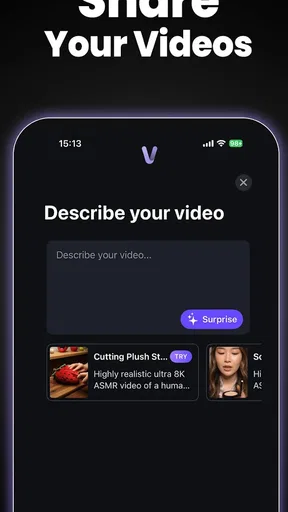
VideoAI: AI Video Generator is an innovative application that leverages artificial intelligence to create stunning videos from text prompts or existing media. The app analyzes input data and uses advanced algorithms to generate visually captivating video content, making it ideal for content creators, marketers, and individuals looking to produce professional videos without extensive editing skills.
What features does VideoAI offer for video creation?
VideoAI provides a range of features including AI-driven video generation, customizable templates, text-to-video capabilities, and media library access. Users can easily edit and enhance their videos with transitions, effects, and music, making it a versatile tool for creating engaging content. The intuitive interface ensures a seamless user experience, even for beginners.
Is VideoAI suitable for beginners with no video editing experience?
Absolutely! VideoAI is designed with user-friendliness in mind, offering an intuitive interface that simplifies the video creation process. With its AI-driven features and pre-made templates, even those with no prior editing experience can create professional-quality videos quickly and easily. The app guides users through each step, ensuring a smooth workflow.
Are there any limitations or drawbacks to using VideoAI?
While VideoAI offers powerful features, it may have some limitations such as requiring a stable internet connection for optimal performance and possible subscription fees for premium features. Users might also find that highly customized or complex editing tasks are better suited for more advanced software. However, for quick and creative video generation, VideoAI is an excellent choice.
What platforms is VideoAI available on, and is it free to use?
VideoAI is available on both Android and iOS platforms, ensuring broad accessibility for mobile users. The app offers a free version with basic features, while more advanced tools and capabilities are available through a subscription model. This tiered pricing ensures that users can choose a plan that best fits their needs and budget.


